![513x513px Logo (1)-1.png]](https://5965487.fs1.hubspotusercontent-na1.net/hub/5965487/hubfs/513x513px%20Logo%20(1)-1.png?height=40&name=513x513px%20Logo%20(1)-1.png)
PLEASE NOTE: You must have UnifiedPay in order for the patient to add cards, and make credit payments
To enable these features, please navigate to Patient Portal and toggle your Patient Portal Preferences:
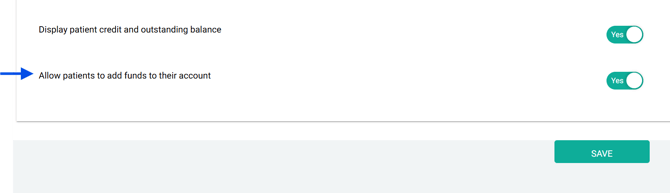
Blue = UnifiedPay exclusive
When the patient is logged into their Patient Portal, they will be able to:
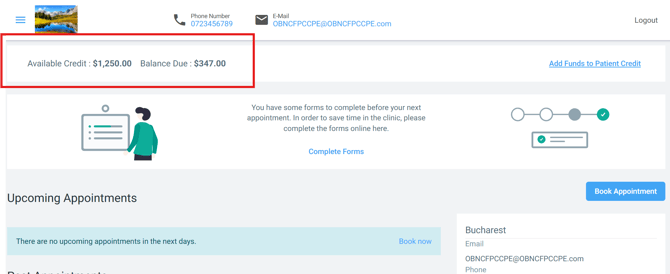
1) See their Credit and Outstanding Balance
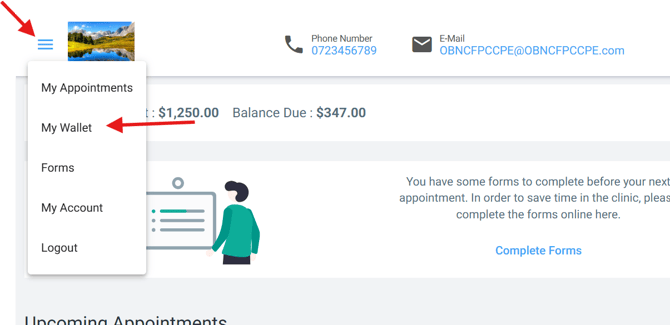
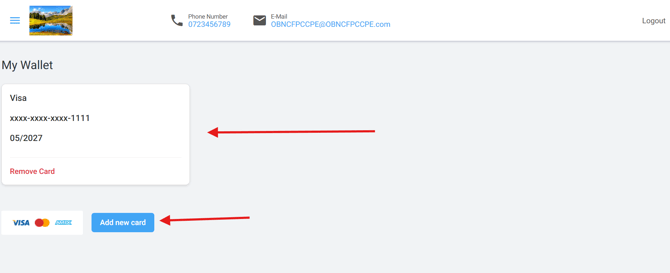
2) Add or Remove their credit cards via My Wallet (UnifiedPay Exclusive)
3) Add funds to their credit (UnifiedPay Exclusive)
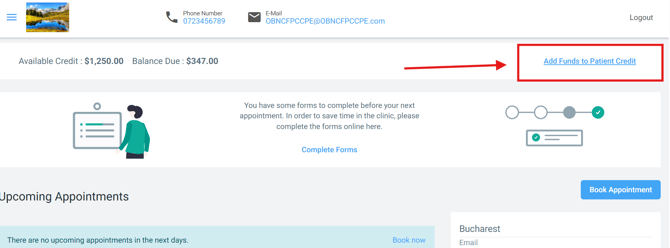
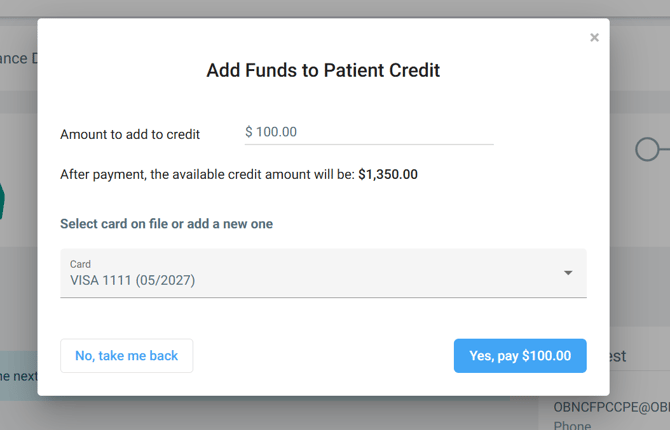
PLEASE NOTE: At this time, a patient can not directly pay for an appointment. They can pay to add credit to their account, which you may then allocate towards the proper appointment(s)