![513x513px Logo (1)-1.png]](https://5965487.fs1.hubspotusercontent-na1.net/hub/5965487/hubfs/513x513px%20Logo%20(1)-1.png?height=40&name=513x513px%20Logo%20(1)-1.png)
What is a Waitlist?
A waitlist is a list of patients who want to receive treatment but cannot be seen yet due to high demand, or scheduling conflicts. Our Waitlist feature makes it easy to list, and view the patients that wish to create an appointment with your clinic!
Activate the Waitlist feature within ADD ONS
Step 1: Navigate to the Calendar
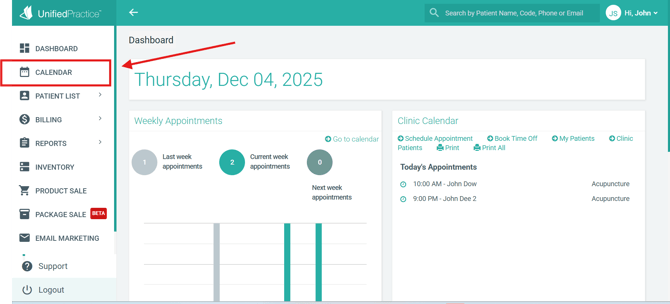
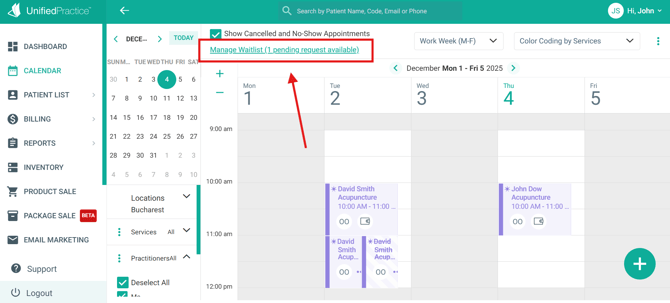
Step 2: Click "Manage Waitlist" towards the top of the page
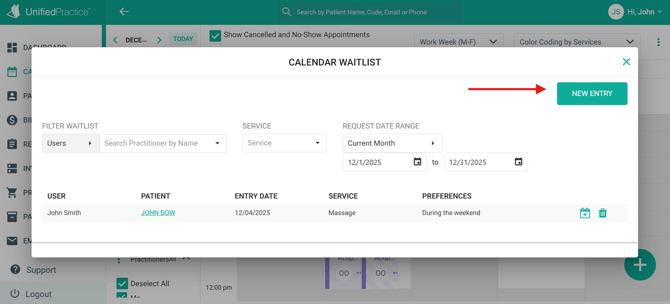
Step 3: Add a New Entry
Add the patient for the waitlist. You can either enter an existing patient, or create a new patient:
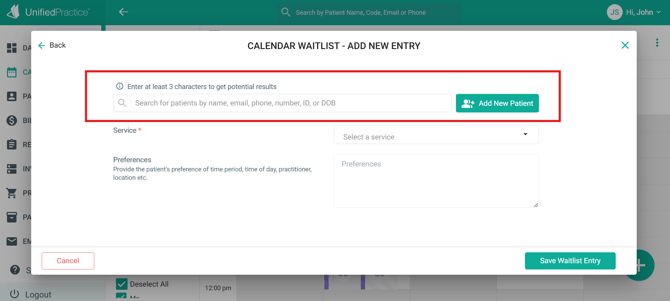
Enter the Service the patient is interested in, and describe their preferences for booking the future appointment. Then click Save to add the Waitlist entry. You can also change the patient if needed:
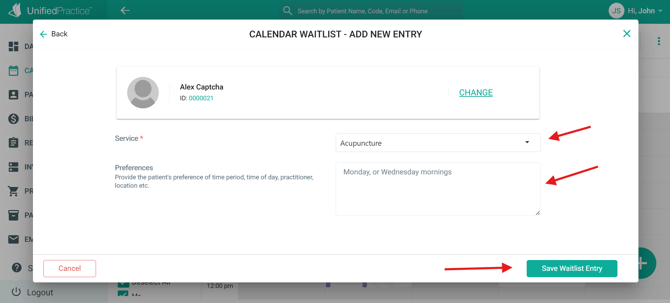
Step 4: View and Edit your Waitlist Entries
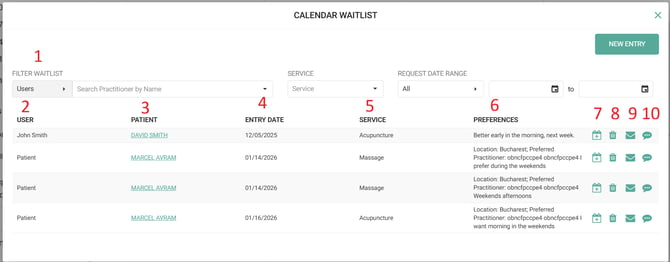
1) Filter Waitlist - narrow down your search criteria with filters
2) User - the user that created the waitlist entry
3) Patient - the patient linked to the waitlist entry. Click on their name to enter into their Patient File
4) Entry Date - the date the entry was created
5) Service - the service the patient is interested in
6) Preferences - the manually written preferences for the waitlist entry
7) Create an appointment for the patient
When creating an appointment directly from the waitlist for the patient, their waitlist entry will be removed. If you had multiple entries for the patient, then only the one that you directly scheduled from will be removed
8) Remove the waitlist entry
9) Email the patient that an appointment slot is available
10) Text message the patient that an appointment slot is available
Replacing Cancelled Appointments with Waitlist Entry
If an appointment is cancelled for a service that's requested from another patient on the Waitlist, you can easily replace the appointment:
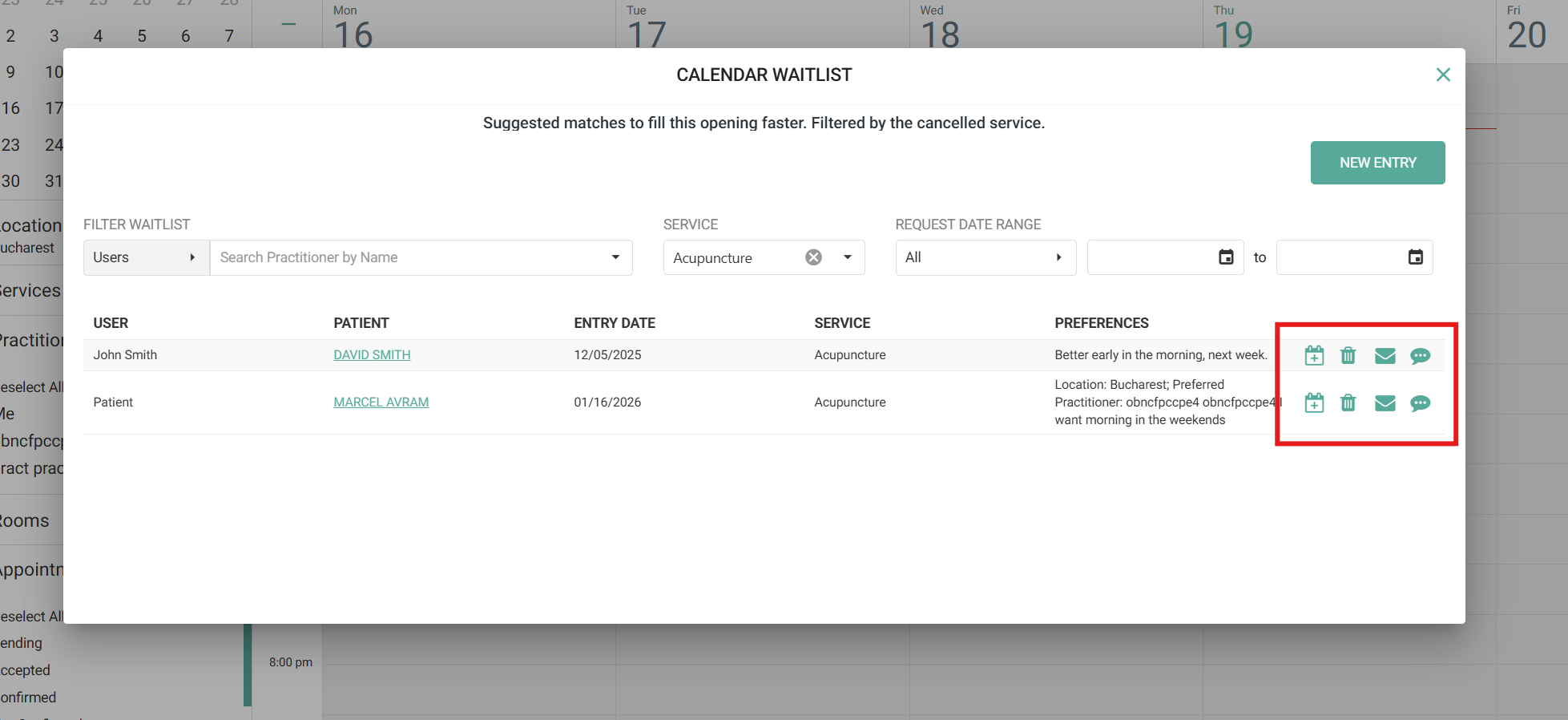
The waitlist will automatically pop-up upon cancelling a service. From here, you will be able to check the preferences for the patient(s), schedule them, or notify them that an appointment is available via the Email and SMS icons
Enable the Waitlist Feature within the Patient Portal
Patients can now add themselves to your Waitlist! To enable this for your patients, please navigate to Patient Portal > Patient Portal Preferences:
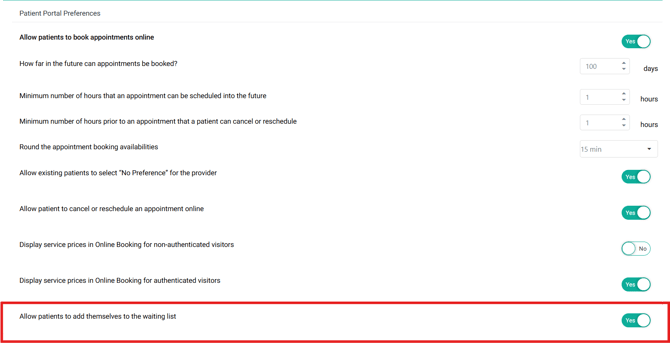
PLEASE NOTE: This will be toggled to "No" by default
-
There will be a link within the online booking page to create a waitlist entry. From there, the patient will be able to create their Waitlist entry
- If the patient was not logged into their Patient Portal when creating the entry, then the appointment will be listed as a "New Patient" appointment when created
- When viewing the Waitlist entries, the User column will display "Patient" if it was created by a patient online