![513x513px Logo (1)-1.png]](https://support.unifiedpractice.com/hs-fs/hubfs/513x513px%20Logo%20(1)-1.png?height=40&name=513x513px%20Logo%20(1)-1.png)
Where to find your Merchant ID
- Log in to your Unified Practice account from a desktop or laptop using your preferred internet browser, Google Chrome tends to work best with our system.
- Navigate to the right hand menu and click on Billing then select MerchantTrack.
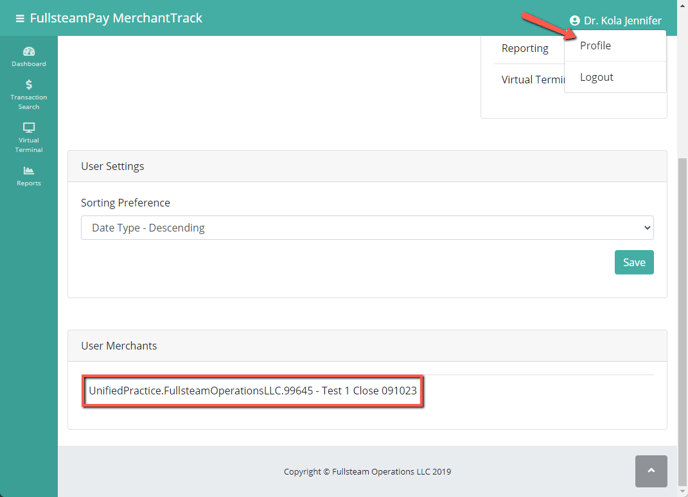
- In the MerchantTrack, click on your name in the top right hand corner then select Profile.
- Now scroll down to User Merchants section, your MerchantID will be the information below.