![513x513px Logo (1)-1.png]](https://support.unifiedpractice.com/hs-fs/hubfs/513x513px%20Logo%20(1)-1.png?height=40&name=513x513px%20Logo%20(1)-1.png)
Jump to:
Setting Appointment Statuses:
- To set the Appointment Status navigate to the Calendar, locate the Appointment, click the Edit icon or double click the Appointment to enter the Appointment Details.
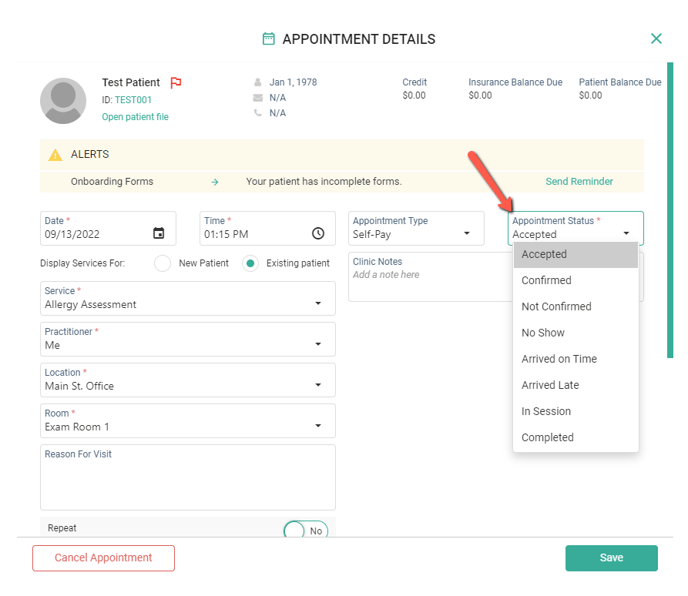
- Locate Appointment Status and click the drop down menu and select a status. Click Save to update the Appointment and reflect the change.
iPad view:
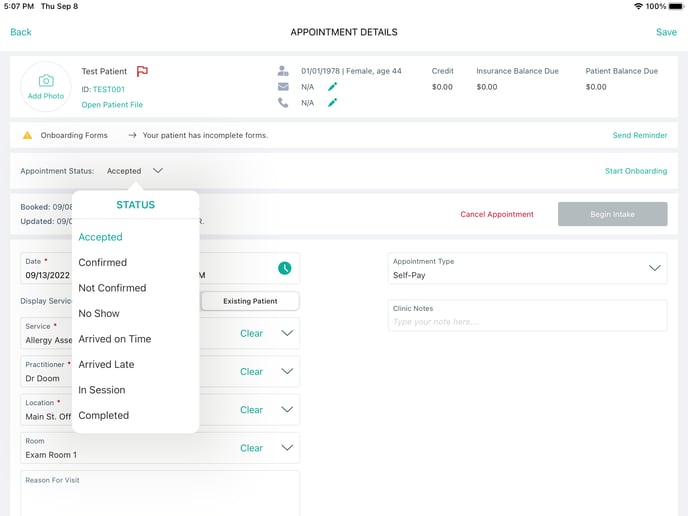
- On the iPad App, the Appointment Status will display below the Alerts on the left hand side.
Web view:
- On the Web platform, the Appointment Status will be shown below Alerts located on the right hand side.