![513x513px Logo (1)-1.png]](https://support.unifiedpractice.com/hs-fs/hubfs/513x513px%20Logo%20(1)-1.png?height=40&name=513x513px%20Logo%20(1)-1.png)
To remove a credit card on a patient's file, follow these steps
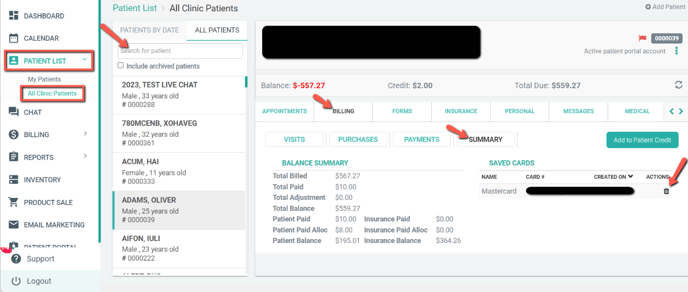
- Go to Patient List then All Patients tab or find Patient in Quick Search
- Select the Patient from the list
- Click the Billing tab
- Then click Summary
- Then you'll see the Credit Card(s) on file and choose which ones you want to remove by clicking the trashcan icon.