![513x513px Logo (1)-1.png]](https://support.unifiedpractice.com/hs-fs/hubfs/513x513px%20Logo%20(1)-1.png?height=40&name=513x513px%20Logo%20(1)-1.png)
Jump to:
Basic Navigation Tools
- Navigating to any part of the the iPad application is simple thanks to the options menu in the upper-left corner.
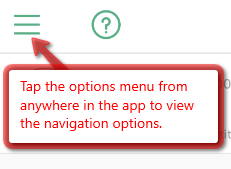
- Tap on the options menu to expand it and see options to navigate anywhere in the application.
- Tap on an icon to go to the section or tap on the X button to close the options menu.
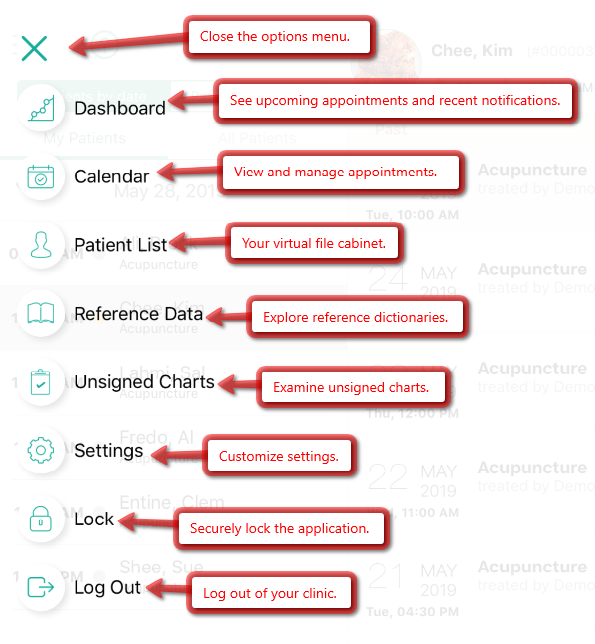
- Dashboard: See upcoming appointments and recent notifications.
- Calendar: View and manage appointments.
- Patient List: Access your virtual file cabinet of patient files.
- Reference Data: Explore the reference dictionaries.
- Unsigned Charts: Examine all open charts.
- Settings: Customize your application settings.
- Lock: Securely lock the application, requiring a password to unlock.
- Log Out: Log out of your clinic.