![513x513px Logo (1)-1.png]](https://support.unifiedpractice.com/hs-fs/hubfs/513x513px%20Logo%20(1)-1.png?height=40&name=513x513px%20Logo%20(1)-1.png)
How Do I Fill Out Charts Without My iPad?
- Log into the clinic account on a computer or laptop
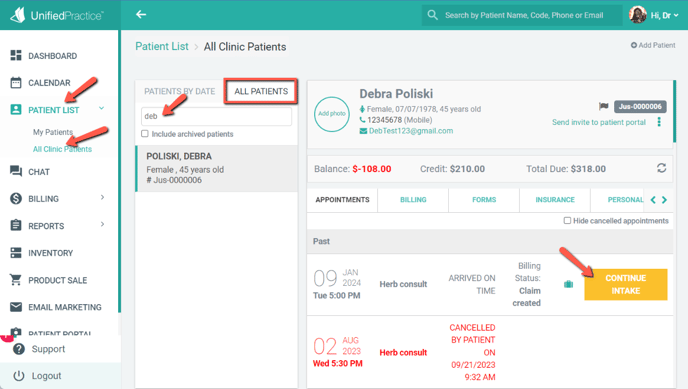
- Navigate to the left hand menu and click Patient List then All Clinic Patients
- Use the search bar to access the Patient File
- On the Appointments tab locate the date of service and click the intake button on the right side.