![513x513px Logo (1)-1.png]](https://support.unifiedpractice.com/hs-fs/hubfs/513x513px%20Logo%20(1)-1.png?height=40&name=513x513px%20Logo%20(1)-1.png)
Within the iPad EHR for TCM app, you can start a walk-in appointment if one was not previously scheduled.
On your iPad from your UnifiedPractice dashboard
- Select Patient List
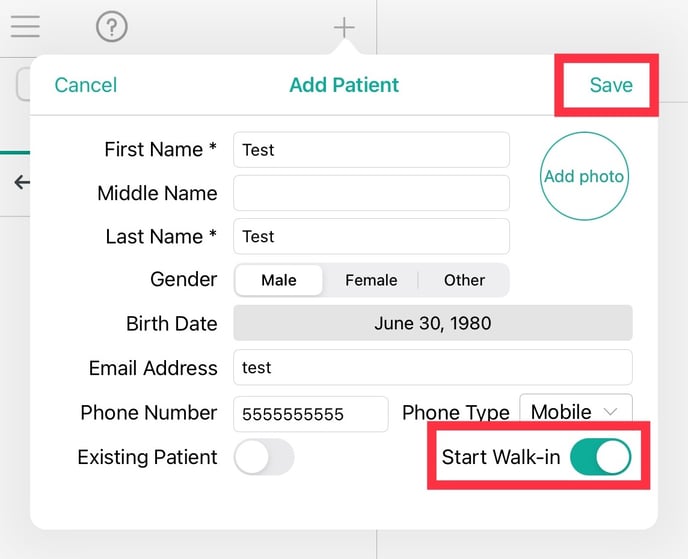
- For a new patient: Select the + button on the top of the screen to enter the patients information before proceeding to the next step. Toggle Start Walk in to On.
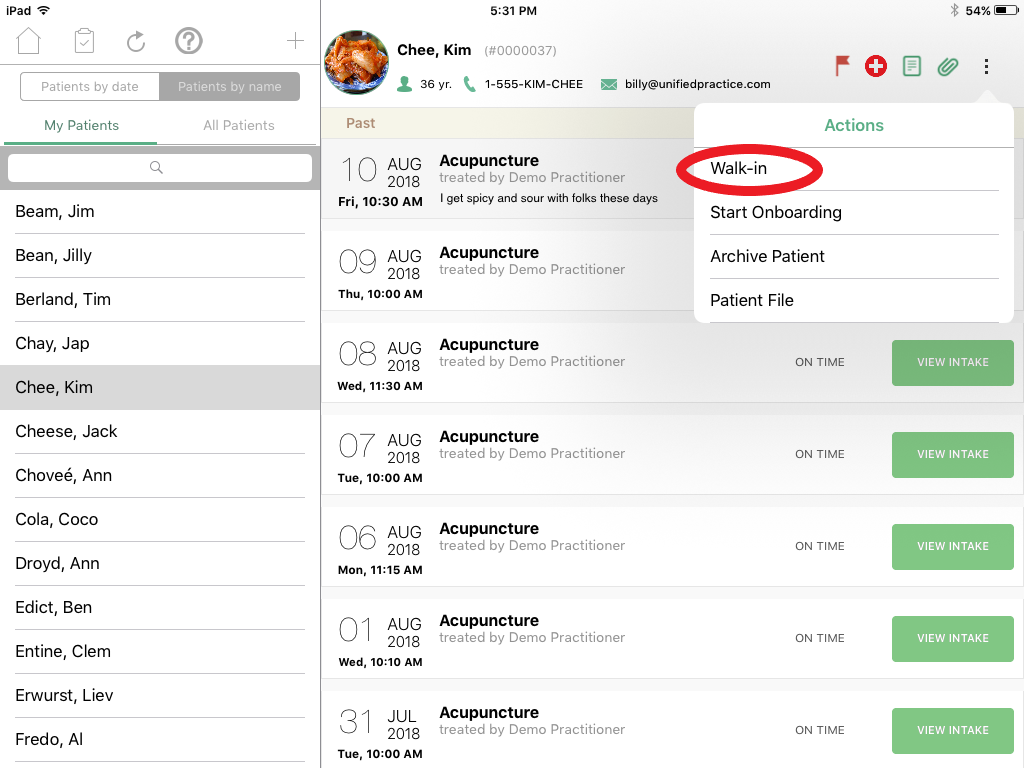
- For an existing patient: Select Patient by name and search for the patient and then select the patients name so their profile appears on the right side.
- On the top right of the screen, click on the three vertical dots.
- Select Walk-in and this will both schedule an appointment on the Calendar for the current time and open a SOAP note at the same time.